






Answers grounded in your business
Turn your website and documents into helpful answers, around the clock.
Conversational agents that learn your business and automate the repetitive work.
Free plan · No card required · Flat pricing
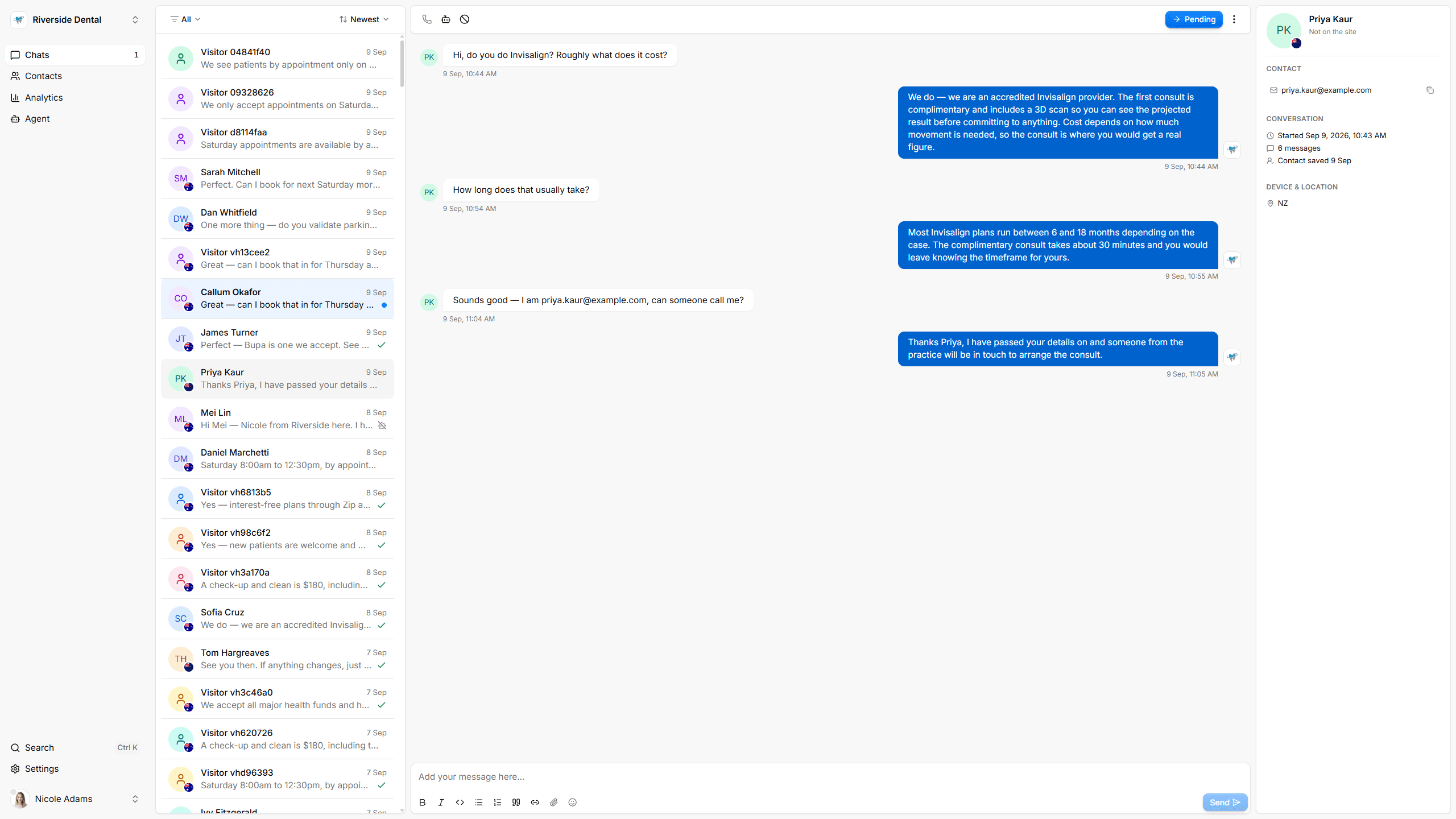
The Whizchat inbox: a list of visitor conversations on the left, an open conversation in the middle where the agent answers a question about plan limits, and the visitor’s contact details, device and recently viewed pages on the right.
Turn your website and documents into helpful answers, around the clock.
Capture contact details naturally in chat, then notify your team to follow up.
See what visitors ask, what the agent answered, and what it could not.
Edit any answer. Take over a conversation whenever you want to.
Every conversation, contact and lead in one place.
Encrypted in transit and at rest. We never train public models on your data.

“Before Whizchat, our team drowned in repetitive tickets and customers waited hours for answers. Now most questions resolve themselves, and my agents finally focus on the conversations that matter.”

“We are two people and a phone that never stops. The agent answers the opening hours and parking questions all day, and we only see the ones that need us.”

“The part I did not expect was the follow-up list. Every week there are a handful of people who asked for a quote at midnight, with their number already captured.”
| Feature | Free$0 /mo | Starter$15 /mo | Pro$29 /mo |
|---|---|---|---|
| Usage | |||
| Conversations per month | 50 | 500 | 2,500 |
| Businesses | 1 | 1 | 5 |
| Team members per business | 1 | 3 | 10 |
| Uploaded documents | 2 | 10 | 25 |
| The agent | |||
| Reads your website | Included | Included | Included |
| Answers you write and edit | Included | Included | Included |
| Suggested answers from unanswered questions | Included | Included | Included |
| Human takeover from the inbox | Included | Included | Included |
| Leads and delivery | |||
| Email notifications | Included | Included | Included |
| Push notifications | Included | Included | Included |
| Signed webhooks | Included | Included | Included |
| Widget without the Whizchat badge | Not included | Included | Included |
| Get started | Get started | Get started | |
$0/mo
Free forever
Enough to see whether it earns its place on your site.
Includes:
$15/mo
Billed monthly
For a single business that wants the chat agent always on.
Includes:
$29/mo
Billed monthly
For multi-location owners and the people who manage their sites.
Includes:
Prices in AUD. Conversations are pooled across every business on your account.
Whizchat can use your website, uploaded documents, and answers you add or edit in the dashboard. Review what it knows and correct anything that needs attention.
Start free with 50 conversations a month. Paid plans start at A$15 a month. There is no setup fee or per-seat charge.
No. Add one script tag to your site. Most website builders have a place for custom code.
It says so and offers to take the visitor's details so you can follow up.
It can take a booking request for you to confirm. It does not reserve a calendar slot.
Yes. Reply from the inbox and the agent steps back until you choose to resume it.
Connect your website and let the agent answer the questions it has already seen a hundred times.
Get started free