Changelog

What's shipped, newest first. Everything listed here is in the product today. There are no roadmap items on this page.

Version 0.9

Everything the agent knows, in one place

Training, instructions and a playground moved out of Settings into their own Agent area, and the knowledge base became questions and answers you write in your own words, with no fixed set of topics to squeeze them into.

  • Unlimited question-and-answer pairs replace the six fixed knowledge topics.
  • A playground that answers exactly as a visitor would, and shows which of your answers it matched and how closely.
  • Questions your agent couldn't answer are collected into a review queue, with how many people asked.
  • Nothing generated is ever live until you accept it.
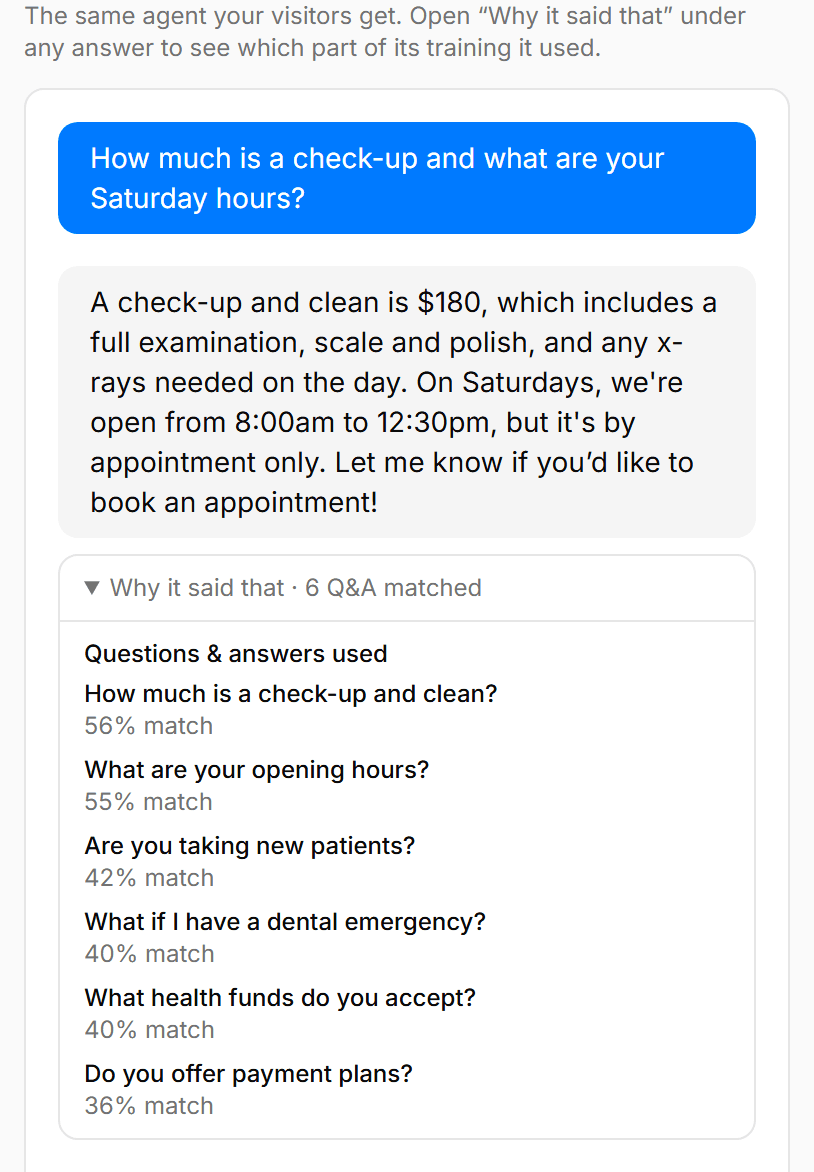
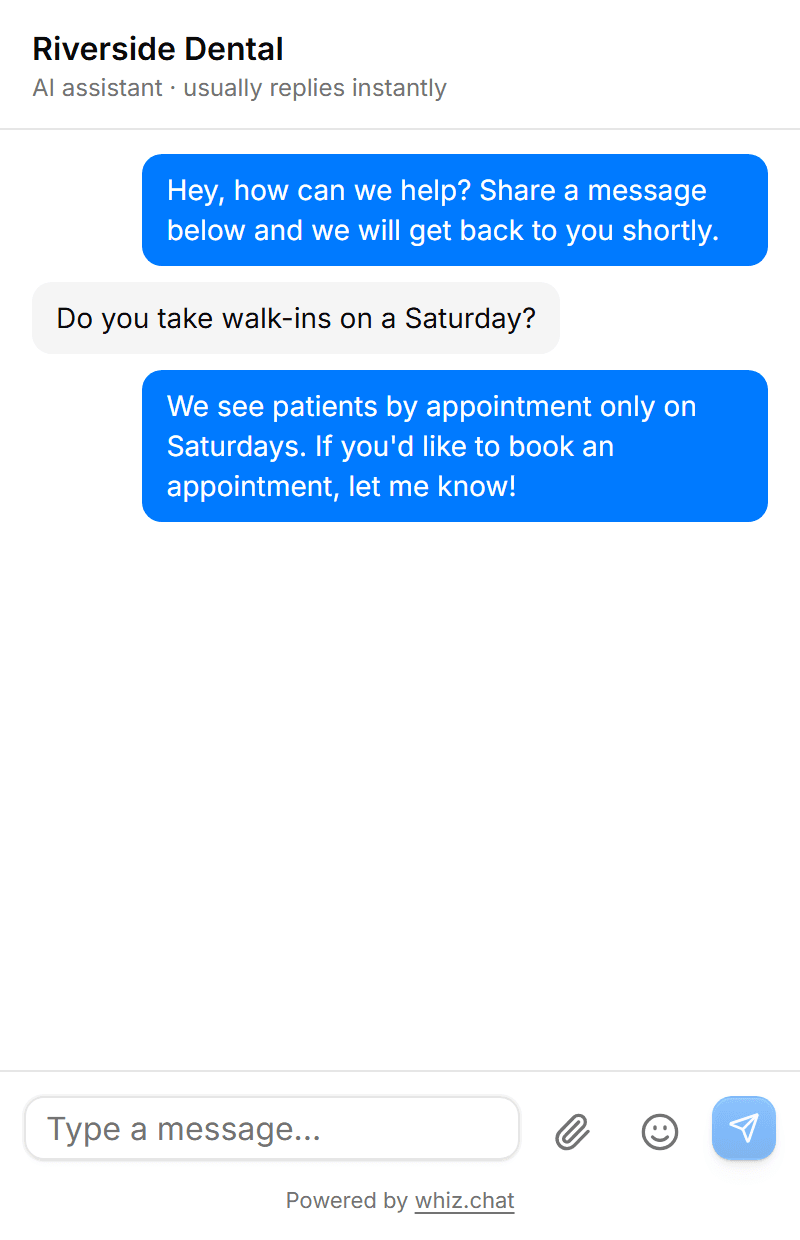
The playground panel headed “Why it said that · 6 Q&A matched”, listing matched questions with percentages.
Version 0.9

You find out what it couldn't answer

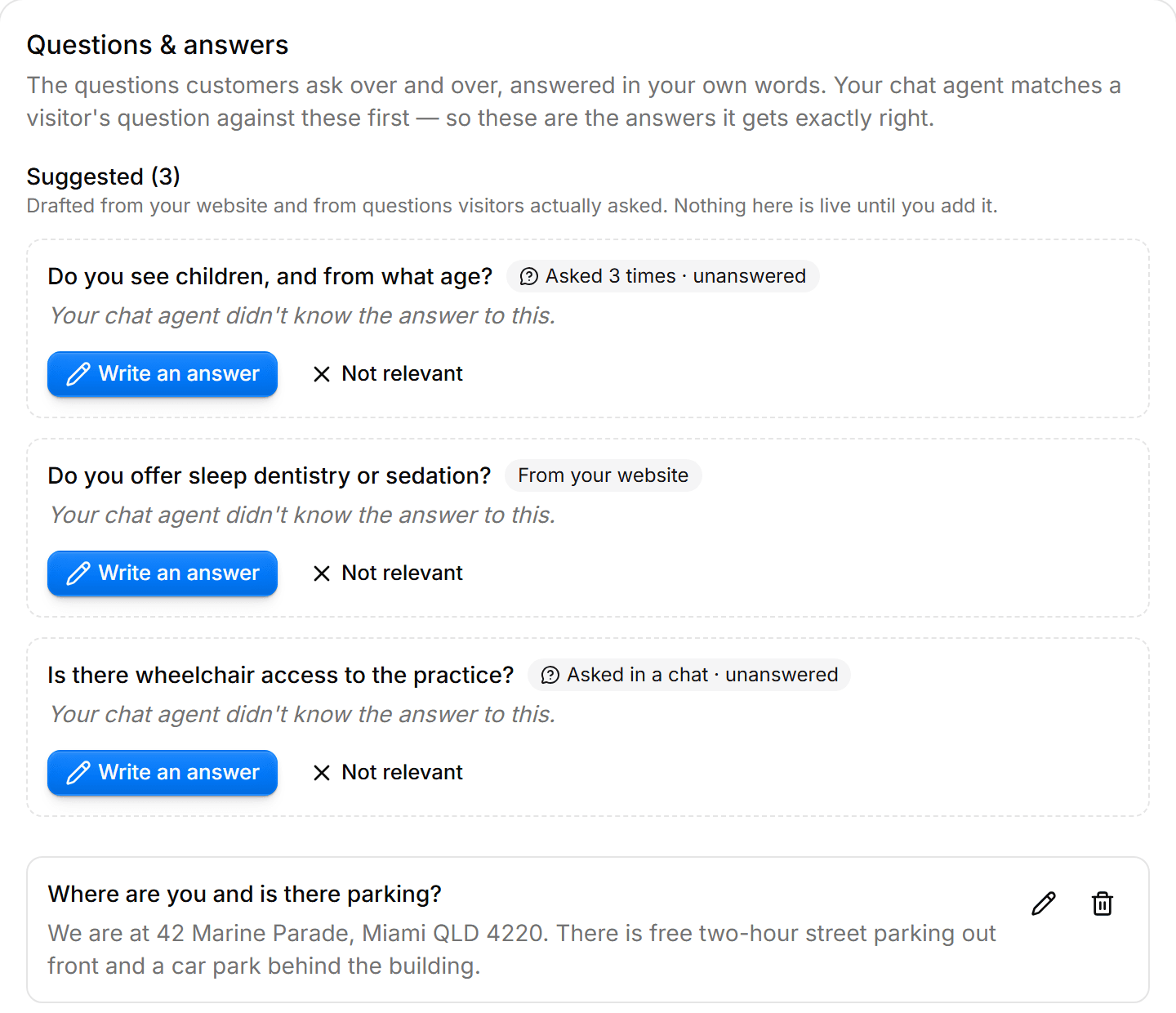
The gap between what visitors ask and what your agent knows is now a list you can work through, drafted from your website on the first crawl and from real conversations after that.

  • One pending suggestion per conversation, so a visitor going in circles files one gap and not three.
  • Dismissed suggestions are remembered, so a later crawl can't re-propose something you already rejected.
  • Suggestions are never retrievable until you write an answer and accept them.
A review queue of three suggested questions, each marked with how it was found and offering a Write an answer button.
Version 0.8

Photos and documents in chat

Visitors can send a photo of the thing that's broken, and you can send a quote back. The AI never sees either. Attachments are a pass-through to you.

  • Images are re-encoded from their own pixels, which strips GPS and other metadata before it reaches your dashboard.
  • PDFs are structurally validated, scanned for active content, and always served as a download rather than opened inline.
  • Files are routed by what they actually are, never by the name or type the browser claimed.
Version 0.8

Google sign-in, stay logged in, and password reset

Three things that were missing from the front door.

  • Sign in with Google, or with an email and password as before.
  • “Keep me logged in”, honoured properly. Unticking it really does end the session when you close the browser.
  • Forgotten-password email, and a password change that re-checks your current one first.
Version 0.7

Upload documents, and tell it how to behave

A menu, price list or brochure can now teach the agent directly, which helps if your site is built in a page builder and has little text to read.

  • PDF, plain text and Markdown uploads, answered from the same way website content is.
  • Custom instructions for tone and behaviour, which can never override the rules about contact details.
  • A scanned PDF with no text layer fails with an explanation rather than silently doing nothing.
Version 0.7

Analytics

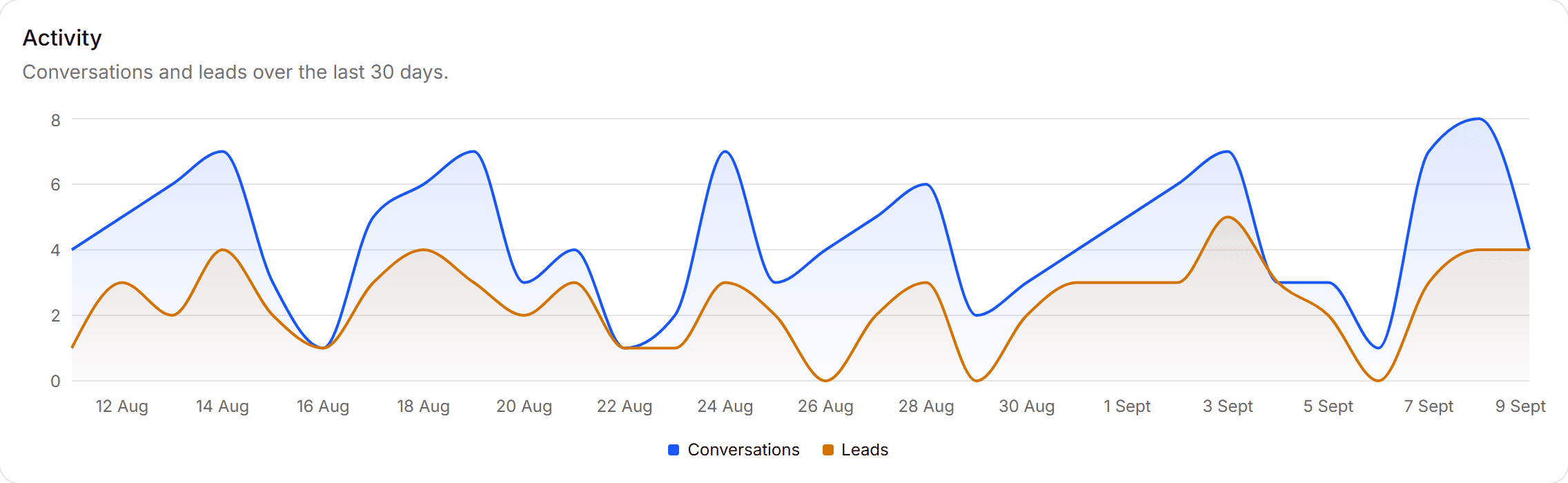
Whether any of it is working: conversations, leads, when chats actually arrive and where visitors are.

  • Everything is bucketed in your business's timezone, not UTC, so an Australian business's evening chats no longer land on the wrong day.
  • Conversion counted properly: conversations in the window that produced a lead, rather than leads that happened to land in it.
  • Days with no activity are drawn as zero instead of being skipped, so a quiet week looks quiet rather than gently sloped.
The activity chart, plotting conversations against leads captured over thirty days.
Version 0.6

Plans, and more than one business

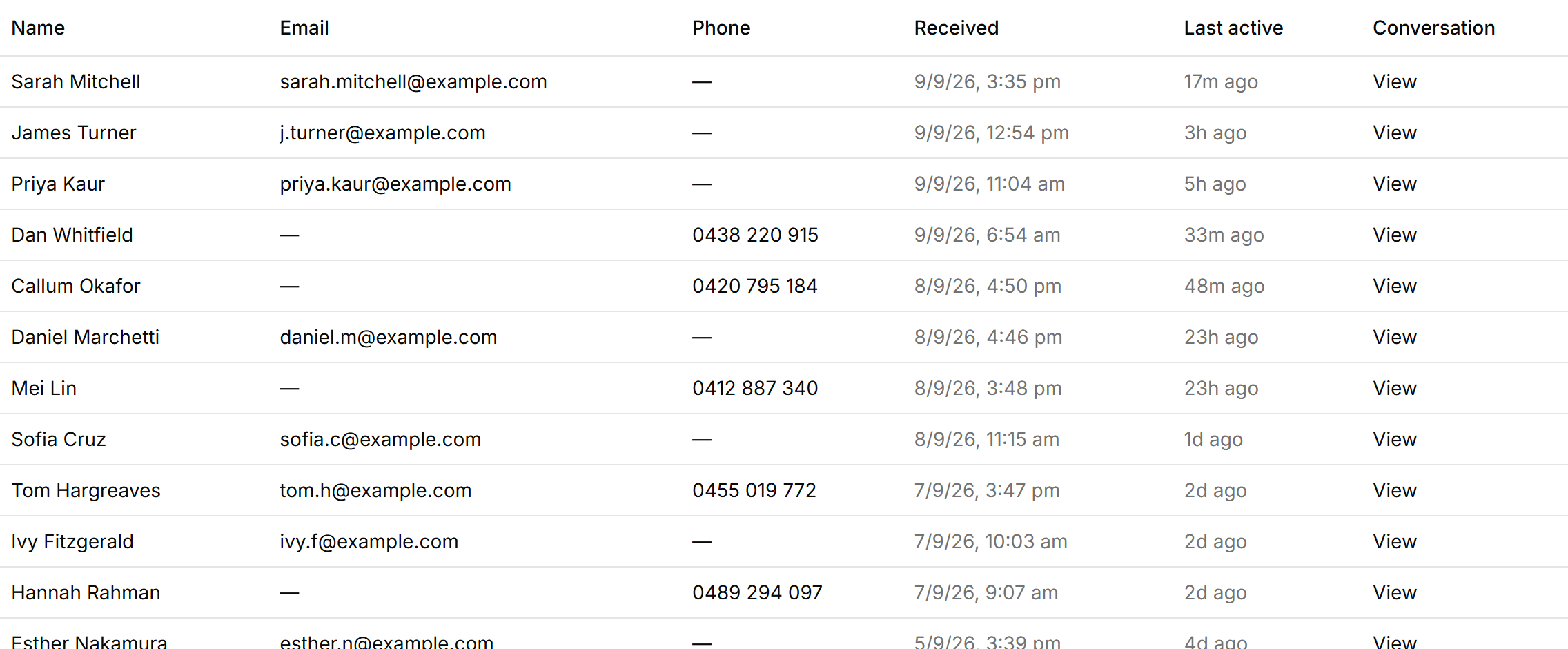
Free, Starter and Pro, with Pro granting up to five businesses under one login and one pooled conversation allowance.

  • Switch between businesses from the sidebar; each keeps its own knowledge, contacts and analytics.
  • Over the limit, the agent stops replying but nothing is lost: messages are still stored and contact details are still captured.
  • A failed payment runs on free limits rather than switching your widget off.
The Contacts table, showing captured names, emails and phone numbers.

New here?

Try it on your own website

Put your address in and read what it learned about your business. No card, no plugin, about a minute.

No credit card, no plugins, no developer.

Already set up? Log in